Security
Login watch
There are two shapes of password attack and only one of them is stopped by the defenses you already have. This watches for the other one.
Brute force and spraying
| Brute force | Password spraying | |
|---|---|---|
| Shape | One address trying many passwords against one account. | One password tried once against a hundred accounts, from a hundred addresses. |
| Account lockout | Stops it. | Never fires. Each account sees a single failure. |
| Rate limit | Stops it. | Never fires. Each address makes a handful of requests. |
| Who notices | Everybody. | Nobody, which is the point of doing it that way. |
Spraying is invisible to both of the defenses most people already have. That is why it exists as a technique and why this feature is here.
What it reads, and what it deliberately does not
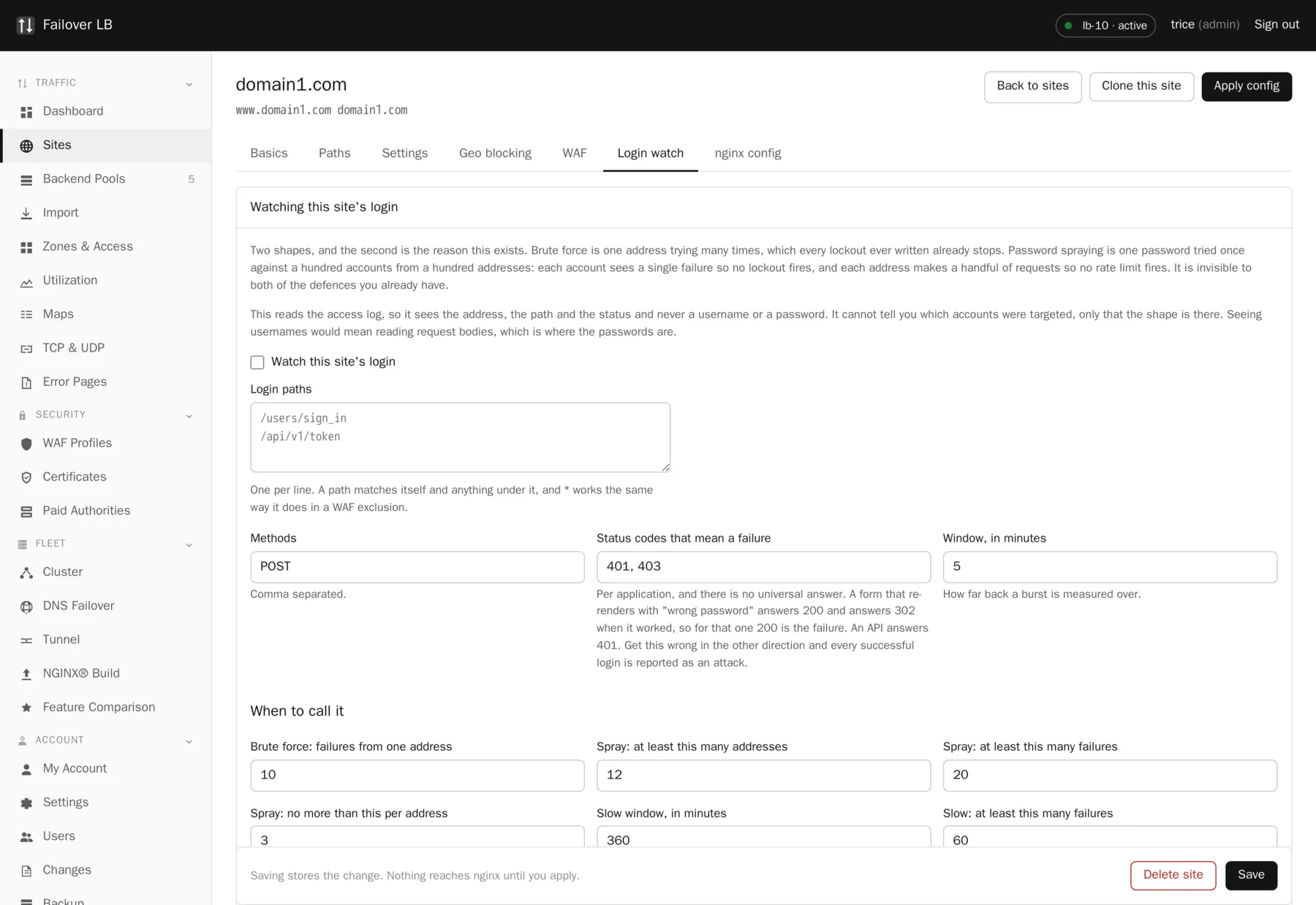
This reads the access log. It sees the address, the path, the method and the status code. It never sees a username and it never sees a password.
That is a limit and it is a deliberate one. It cannot tell you which accounts were targeted, only that the shape is there. Seeing usernames would mean reading request bodies, which is where the passwords are, and a security feature that starts reading passwords has become the problem it was supposed to prevent.
Which status code means failure
There is no universal answer, and getting it backwards is bad
A form that re-renders with "wrong password" answers 200 and answers 302 when it worked, so for that application 200 is the failure. An API answers 401. Get this wrong in the other direction and every successful login is reported as an attack, which is worse than no detection at all because people learn to ignore the alerts.
The way to find out is to look. There is a button that shows what the log says right now, so you can sign in wrongly once and see exactly which code your application produced.
The thresholds
| Setting | What it means |
|---|---|
| Window, in minutes | How far back a burst is measured over. |
| Brute force: failures from one address | The simple case. One address, many failures. |
| Spray: at least this many addresses | How wide it has to be. |
| Spray: at least this many failures | How much of it there has to be in total. |
| Spray: no more than this per address | How quiet each individual address has to be. |
| Slow window, in minutes | The same test run over hours instead of minutes. |
All three spray rules have to hold at once, because any one of them alone is an ordinary Monday morning. A busy login page has plenty of failures. A large office has plenty of addresses. Everybody typing their password wrong once is exactly "few per address". It is the combination that does not happen by accident.
The slow window
The same test run over hours rather than minutes, because somebody who knows that detectors use five minute windows simply waits six. It costs nothing to run both.
Common questions
Does it block anything?
It watches and reports. Blocking on this signal automatically would mean a false positive locks out a whole office, so the decision stays with you. Pair it with an access list or a rate limit once you know the shape is real.
Does it work for an API rather than a form?
Yes. Set the paths and set the failure status to 401 or whatever your API returns.
Where does the report appear?
On the site, and in the audit log. There is also a button to look at the log right now, which is the quickest way to check your settings are right.
Step by step instructions
The how to section has searchable, task shaped answers. Search it for login watch.
Related features
Rate and connection limits
Cap how fast and how much one visitor can ask for.
Read moreAccess lists
Who may reach a site, by address, with a password on top.
Read moreAudit log
Who changed what, when, and from where.
Read moreWeb application firewall
ModSecurity with the OWASP Core Rule Set, per site.
Read more