Fleet
The nginx build
The nginx that comes with Ubuntu is built with a small set of features. Several of the things this software configures need features that are not in it, so nginx is compiled from source with all of them.
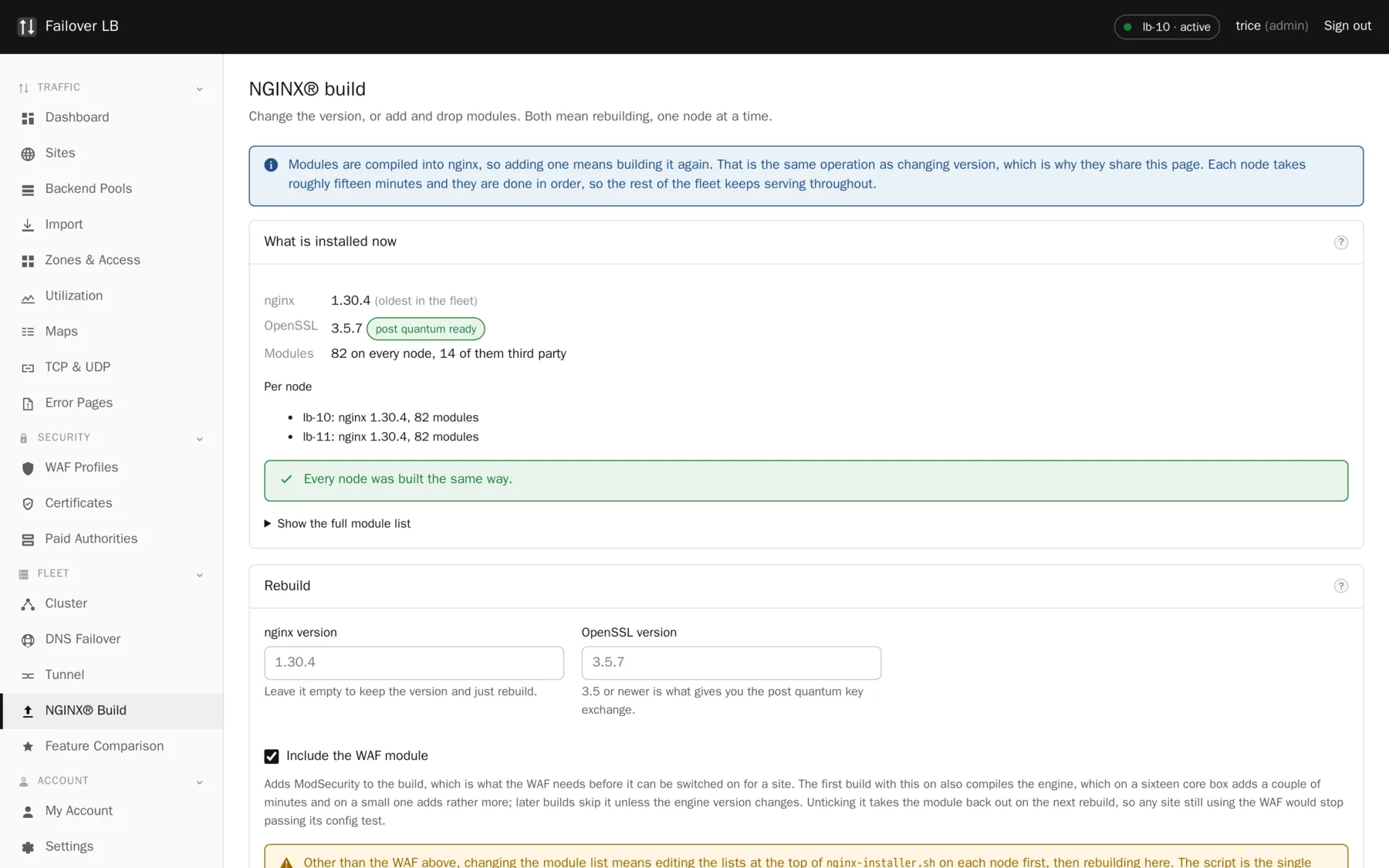
What is in the build
nginx 1.30.4 against OpenSSL 3.5.7, with the standard modules plus fourteen third party ones. Eighty two in total on a normal build. The headline entries:
| Module | What it gives you |
|---|---|
| http_v3 | HTTP/3 and QUIC. |
| OpenSSL 3.5 | ML-KEM, so post quantum key exchange is available. |
| stream and stream_ssl | TCP and UDP proxying, with TLS. |
| lua | Used for the faster JWT validation path, among other things. |
| geoip2 | Country blocking against a MaxMind format database. |
| headers-more | Full control over request and response headers. |
| cache_purge | Clearing cached objects without deleting the folder. |
| auth_request | The subrequest based authentication path. |
| ModSecurity | The WAF, built as a loadable module only when asked for. |
Why ModSecurity is loaded rather than compiled in
A compiled in module is part of the binary whether anybody wants it or not. ModSecurity links
against libmodsecurity.so, and if that library is ever missing or a version out of
step, a statically linked nginx will not start at all. That would take down every node in the
fleet over a feature most of them are not using.
Built as a loadable module, the file sits on disk doing nothing until a load_module
line asks for it, and that line is only written for a node whose sites have the WAF on.
Rebuilding
Press Rebuild and the node fetches the sources and builds. It takes several minutes and the progress is shown on the page as it goes. The order is what makes it safe:
- The new nginx is built while the old one carries on serving.
- Your existing configuration is tested against the new build.
- Only if that passes is the running nginx replaced.
- If it fails, the old nginx is left exactly as it was and you are told what was wrong.
There is also a check button that works out what a rebuild would do without doing it. Run it first, every time.
One node at a time
Rebuild one node, check your sites still work, and only then do the second. Rebuilding both at once removes the whole point of having two. If you use DNS failover, take the node out of the answer first.
Keep the nodes matched
Both nodes should show the same versions and the same module count. A fleet where they differ is one where a configuration can work on one node and be refused by the other, and the apply then fails with an error that points at your configuration rather than at the real cause.
Do not let apt near it
Never install python3-certbot-nginx
It depends on Ubuntu's nginx package, and installing that drops a stock binary on top of this build. You lose every module and the configuration stops loading. The installer sets up guards against this, and it is still worth knowing.
If a rebuild fails
The old nginx keeps running, so nothing is down. A build failure is nearly always a missing system package or a source that could not be downloaded, and both say so plainly in the output. Fix it and press the button again. There is also a revert command that rolls back to the build from before the last install.
A rebuild does not change your configuration and cannot lose it. Sites, pools and certificates live in the database and are written out again at the next apply.
Common questions
How long does a build take?
Several minutes on a normal box. Four minutes on a sixteen core machine, with roughly two of those spent on ModSecurity when it is being built at all.
Can I add my own module?
Yes, the module list is a plain array at the top of the installer script. Adding one means editing that file and rebuilding.
Do I have to rebuild to get security fixes?
For nginx and OpenSSL, yes, and that is the real cost of building from source. The build page is where you do it, and it tells you what versions you would move to before you commit.
Step by step instructions
The how to section has searchable, task shaped answers. Search it for nginx build.
Related features
Post quantum key exchange
X25519MLKEM768 first, classic curves behind it.
Read moreUpgrades
One node at a time, tested before anything is replaced.
Read moreTLS settings
Protocols, ciphers, stapling and HTTP/2 or HTTP/3.
Read moreWeb application firewall
ModSecurity with the OWASP Core Rule Set, per site.
Read more