Security
Web application firewall
A real WAF, not a handful of regular expressions with a marketing name. The engine is ModSecurity and the rules are the OWASP Core Rule Set, which is what people mean when they say ModSecurity.
The engine and the rules
The engine is only half a WAF. The rules are the half that does the work, and they have the same requirement the country database has: they must be on every node, because a node without them refuses the whole configuration and the apply is turned away.
So the rules are installed fleet wide from Settings, on a schedule, and swapped in one step so nginx never reads half of one version and half of another.
| Track | What you get | Right for |
|---|---|---|
| Long term support | The 4.25 series. Fewer new detections, far fewer new false positives. | A box somebody installs and leaves alone. This is the default. |
| Latest | Whatever the newest release is. Newest detections, and the newest false positives with them. | Somebody who watches what fires and has time to tune. |
The four modes
| Mode | What happens |
|---|---|
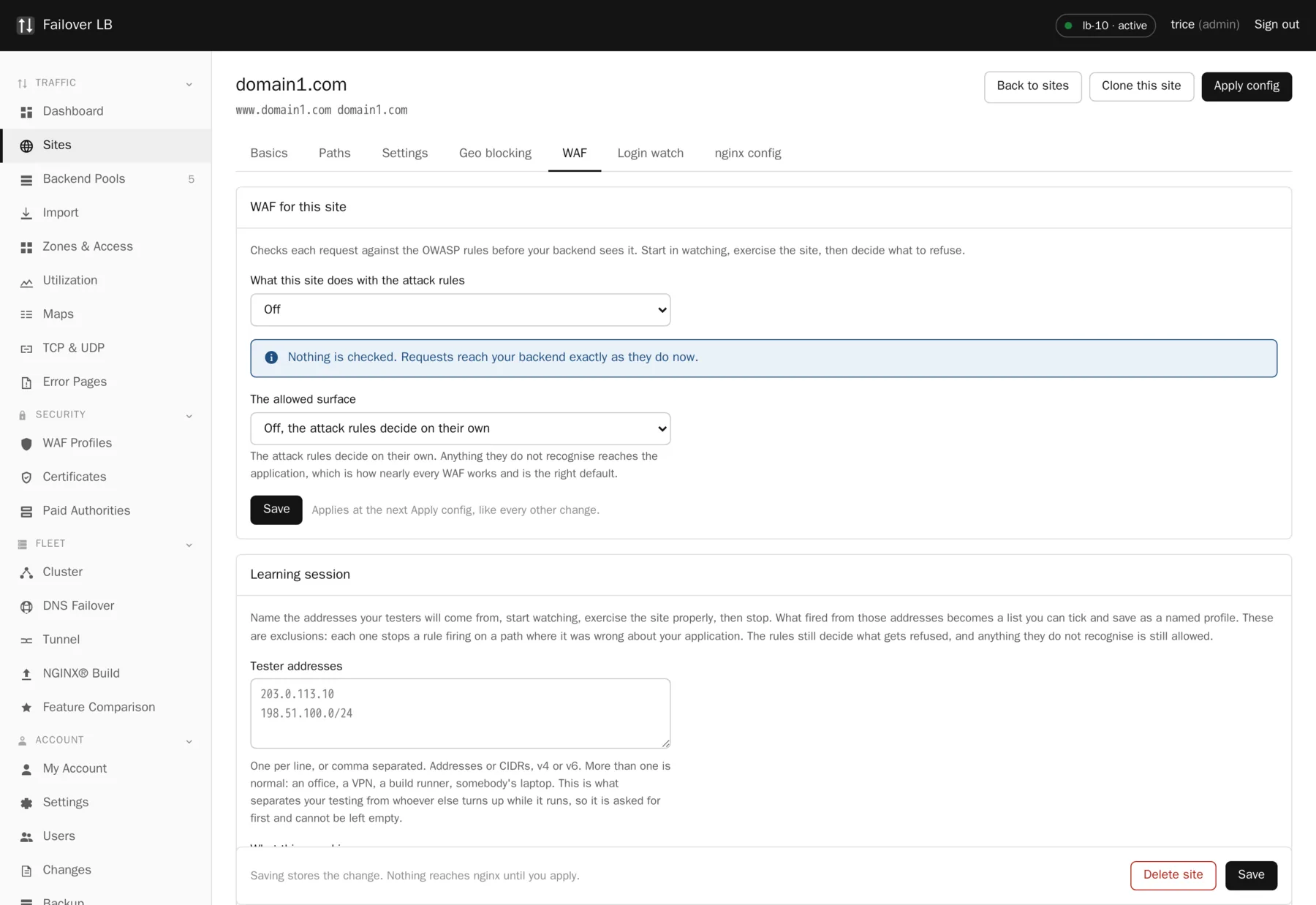
| Off | Nothing is checked. Requests reach your backend exactly as they do now. |
| Watching, refuse nothing | Every rule runs and every hit is recorded, and nothing is blocked. Always start here. |
| Block known malicious | Refuses the things nobody argues about, at a low strictness. |
| Block what the attack rules catch | Full enforcement at whatever strictness you set. |
Never switch straight to blocking
Every real application does something the rules think is suspicious. A rich text editor posts HTML. A search box takes quotes. An upload form sends things that look like scripts. Turn the WAF on in watching mode, exercise the application properly, look at what fired, and only then decide what to refuse. Going straight to blocking on a live site is how people conclude that WAFs do not work.
Strictness
The Core Rule Set scores each request rather than making a single yes or no decision. Strictness is the threshold. Leave it at 1 unless you are prepared to spend time on what it starts refusing. Raise it in watching mode first and look at what fires.
The allowed surface
Separate from the attack rules, and worth understanding because it is a different idea.
| Setting | What it does |
|---|---|
| Off | The attack rules decide on their own. Anything they do not recognize reaches the application. This is how nearly every WAF works and it is the right default. |
| Report what would be refused | Records requests outside the known surface without blocking them. |
| Refuse anything outside the surface | Only paths your testers actually reached are allowed through. Much stricter, and only sane for an application whose surface is genuinely fixed. |
It is not compiled in by default
ModSecurity is built as a loadable module rather than compiled into the binary, and it is not
built at all unless asked for. The reason is blunt: a statically linked nginx that cannot find
libmodsecurity.so will not start at all, and that would take down every node in the
fleet over a feature most of them are not using.
Built this way, the module sits on disk doing nothing until a load_module line asks
for it, and that line is only written for a node whose sites have the WAF on. Turning it on in the
GUI rebuilds nginx with the module, using the same path the version upgrades already take, so
nobody has to edit a file or compile anything by hand.
What it costs
Inspecting every request is not free. Expect a measurable increase in processor use and a small amount of added latency per request. On the fleet the numbers on this site came from, the load balancers were running at around 8% of sixteen cores under 2,000 requests a second, so there is a great deal of headroom, but measure your own rather than trusting that.
Common questions
Does the WAF work on TCP and UDP services?
No. It inspects HTTP requests, so it applies to sites and not to stream services.
Can I turn it on for one path only?
The mode is per site. For a narrower scope, split the part you want protected into its own site, or use the allowed surface to constrain it.
What does a blocked visitor see?
A 403. If the site has an error page template covering 403, they see your page rather than the bare nginx one.
Does it protect against denial of service?
Not really. That is what rate limits and connection limits are for. A WAF looks at what is in a request, not how many of them there are.
Step by step instructions
The how to section has searchable, task shaped answers. Search it for waf.
Related features
WAF learning sessions
Watch real testing, then keep only the exceptions you need.
Read moreWAF profiles
One tuned rule set shared by every site that needs it.
Read moreRate and connection limits
Cap how fast and how much one visitor can ask for.
Read moreCountry blocking
Cut scanner noise and meet a rule about where you serve.
Read more